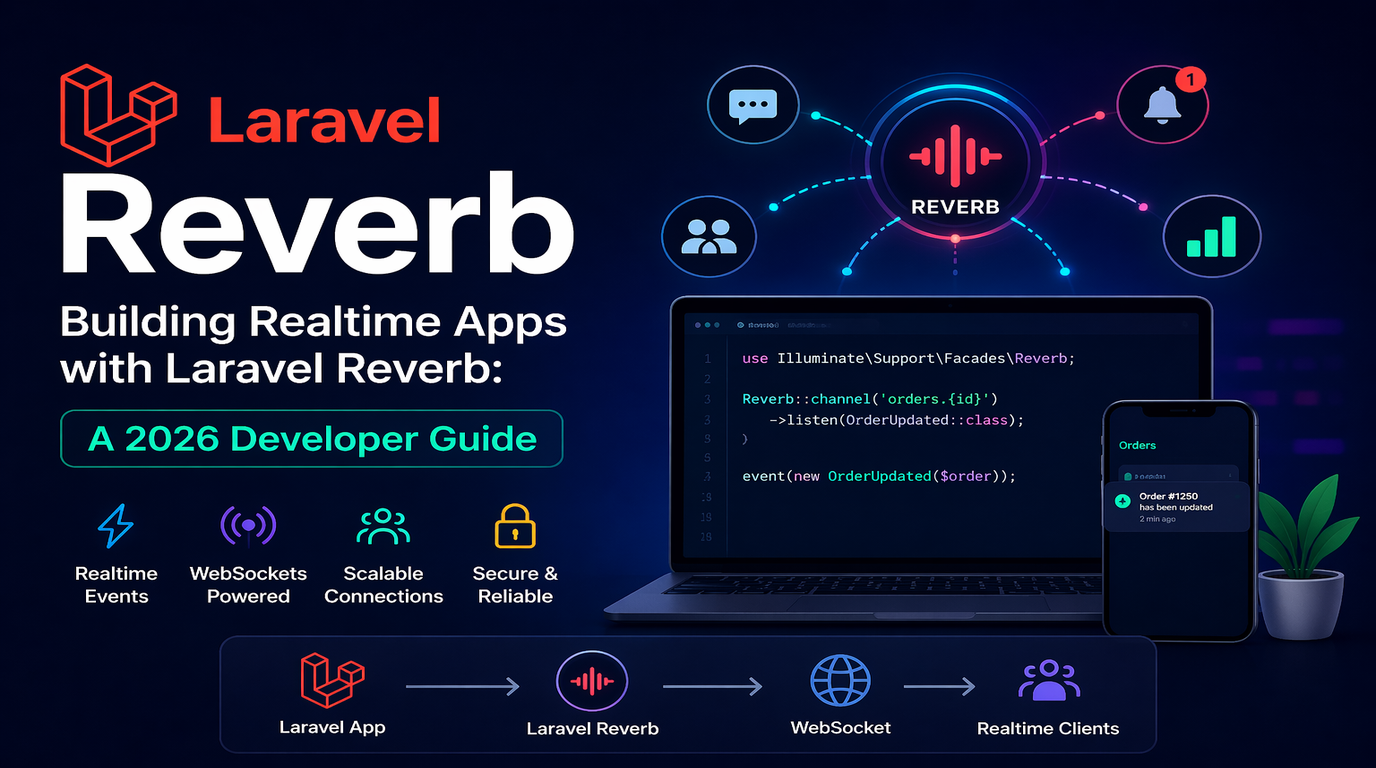
Realtime features used to mean either reaching for a third-party service like Pusher or wrestling with self-hosted Socket.io clusters. Then in early 2024 the Laravel team shipped Reverb - a first-party WebSocket server built on ReactPHP - and the calculus changed. By 2026, Reverb has become the default choice for Laravel teams who want chat, notifications, live dashboards, or collaborative editing without the per-message billing.
This guide walks through everything you need to ship a production-ready realtime feature with Laravel Reverb: installation, broadcasting events, the three channel types, scaling beyond a single server, and the half-dozen pitfalls we keep seeing in client codebases.
Why Reverb (and Not Pusher or Socket.io)?
Three reasons teams are switching:
- No per-message pricing. Pusher charges by connections and messages. A live order dashboard with 200 store managers can run hundreds of dollars a month. Reverb is free - you pay only for the server it runs on.
- Native Laravel integration. Reverb plugs into Laravel's existing Broadcasting system. If you already use
broadcast(new OrderPlaced($order)), switching from Pusher to Reverb is a config change. - Self-hosted means data residency control. For Canadian SMBs concerned about PIPEDA or US firms needing HIPAA, keeping WebSocket traffic on your own infrastructure simplifies compliance.
The tradeoff: you operate the server. If your team has zero DevOps capacity, a managed service may still be the right call.
Installation
Reverb requires Laravel 11+ and PHP 8.2+. Install with one Artisan command:
php artisan install:broadcastingThis installs Reverb, publishes the broadcasting config, sets BROADCAST_CONNECTION=reverb in your .env, and scaffolds the frontend Echo setup. Your .env now has Reverb keys:
REVERB_APP_ID=local-app
REVERB_APP_KEY=local-key
REVERB_APP_SECRET=local-secret
REVERB_HOST=localhost
REVERB_PORT=8080
REVERB_SCHEME=http
Start the WebSocket server in a separate terminal:
php artisan reverb:start --debugYou now have a WebSocket server listening on port 8080. The --debug flag streams every connection and message to your terminal, which is invaluable while you wire up the frontend.
Broadcasting Your First Event
Realtime in Laravel is just events with a broadcast channel. Create an event:
php artisan make:event OrderShippedImplement ShouldBroadcast so Laravel pushes it to Reverb:
use Illuminate\Broadcasting\PrivateChannel;
use Illuminate\Contracts\Broadcasting\ShouldBroadcast;
use Illuminate\Broadcasting\InteractsWithSockets;

class OrderShipped implements ShouldBroadcast
{
    use InteractsWithSockets;

    public function __construct(public Order $order) {}

    public function broadcastOn(): array
    {
        return [new PrivateChannel("orders.{$this->order->user_id}")];
    }

    public function broadcastWith(): array
    {
        return [
            "id" => $this->order->id,
            "tracking_number" => $this->order->tracking_number,
        ];
    }
}
Anywhere in your app, fire the event:
broadcast(new OrderShipped($order))->toOthers();The toOthers() chain skips the user who triggered the event - useful for chat where the sender already sees their own message via an optimistic UI update.
The Three Channel Types
Public Channels
Anyone can listen. Use for non-sensitive global notifications - a marketing site live visitor counter, a public auction price ticker, or build status on a status page.
Private Channels
Listeners must authenticate. Use for per-user notifications, order updates, or anything tied to a logged-in user. Authorize in routes/channels.php:
use Illuminate\Support\Facades\Broadcast;

Broadcast::channel("orders.{userId}", function ($user, $userId) {
    return (int) $user->id === (int) $userId;
});
Presence Channels
Like private channels but Reverb tracks who is currently subscribed. Perfect for "who is viewing this document right now", collaborative cursors, or live participant lists in a meeting room.
Broadcast::channel("documents.{docId}", function ($user, $docId) {
    if ($user->canView($docId)) {
        return ["id" => $user->id, "name" => $user->name];
    }
});
Frontend: Listening with Echo
Laravel Echo (installed by install:broadcasting) handles the JavaScript side. In a React component:
import { useEffect } from "react";
import Echo from "laravel-echo";

useEffect(() => {
    const channel = window.Echo.private(`orders.${userId}`)
        .listen("OrderShipped", (e) => {
            toast.success(`Order #${e.id} shipped: ${e.tracking_number}`);
        });

    return () => channel.stopListening("OrderShipped");
}, [userId]);
For presence channels, you also get here, joining, and leaving callbacks:
window.Echo.join(`documents.${docId}`)
    .here((users) => setActiveUsers(users))
    .joining((user) => setActiveUsers((u) => [...u, user]))
    .leaving((user) => setActiveUsers((u) => u.filter(x => x.id !== user.id)));
Going to Production
Run Reverb as a Daemon
Use Supervisor (or systemd) to keep reverb:start alive across crashes and reboots. A minimal Supervisor config:
[program:reverb]
process_name=%(program_name)s
command=php /var/www/app/artisan reverb:start --host=0.0.0.0 --port=8080
autostart=true
autorestart=true
user=www-data
redirect_stderr=true
stdout_logfile=/var/log/reverb.log
TLS Termination at Nginx
Reverb itself speaks plain WebSockets. In production, terminate TLS at Nginx and proxy to Reverb:
location /app {
    proxy_pass http://127.0.0.1:8080;
    proxy_http_version 1.1;
    proxy_set_header Upgrade $http_upgrade;
    proxy_set_header Connection "upgrade";
    proxy_read_timeout 60m;
}
Then set REVERB_SCHEME=https and REVERB_PORT=443 in production env vars so Echo connects through your TLS endpoint.
Scaling Beyond One Server
A single Reverb instance comfortably handles roughly 1,000 concurrent connections per CPU core. To scale horizontally, enable Reverb's Redis pub/sub adapter so events fan out across nodes:
REVERB_SCALING_ENABLED=true
REVERB_SCALING_CHANNEL=reverb
Put a Layer 4 load balancer (AWS NLB, Cloudflare Spectrum) in front and you can scale to tens of thousands of connections without rewriting application code.
Five Pitfalls We See in Client Code
- Broadcasting from inside a database transaction. The event fires before the row is committed, so the listener queries an empty result. Move
broadcast()outside the transaction or implementShouldDispatchAfterCommiton the event. - Forgetting
toOthers()in chat. Users see their own message twice - once from the optimistic UI update, once from the broadcast. - Sending too much data in
broadcastWith. Every byte multiplies by every subscriber. Send IDs and a few key fields, then let the client fetch full records on demand. - No authentication closure on private channels. An empty
routes/channels.phpmeans private channels reject everyone. The opposite mistake - returningtrueblindly - is worse: it turns private channels into public ones. - Not handling reconnects on the client. Mobile users drop connections constantly. Echo reconnects automatically, but your app needs to refetch any state that changed during the gap, otherwise the UI silently goes stale.
When Reverb Isn't the Answer
WebSockets are not free architectural complexity. If you only need to push updates every few minutes (background job status, periodic dashboards), HTTP polling or Server-Sent Events are simpler and cheaper to operate. Reach for Reverb when latency under one second matters or when you have true bidirectional needs like chat or collaborative editing.
Final Thoughts
Laravel Reverb has matured into a production-grade option that removes the last reason most Laravel teams reached for third-party WebSocket services. The setup is a single Artisan command, the broadcasting API is the same one you already know, and the operational footprint is small enough to run on a single $10 droplet for early-stage SaaS apps.
At LogicProviders, we have shipped Reverb-powered features across client portals, live order dashboards, and customer support chat for half a dozen Laravel projects in the past year. If your team is sketching a realtime feature and weighing build vs. buy, we are happy to talk through the tradeoffs and help you side-step the pitfalls listed above. Reach out and we will share what worked - and what didn't - in production.