For more than a decade, jQuery was the answer to every "how do I do X in JavaScript" question. It abstracted away browser inconsistencies, made DOM manipulation feel sane, and let us ship cross-browser features without losing our minds.
In 2026, almost none of those problems exist anymore. The browsers that made jQuery essential are dead. The features it polyfilled are now native. And the bundle size cost of including it - even just the slim build - is hard to justify when you can write the same code in vanilla JavaScript with three fewer dependencies.
This is not a hot take. It is what happens when you actually look at what your projects need versus what jQuery still gives you. Here is why I stopped using it on every new project, and what I reach for instead.
The Real Reasons jQuery Existed
jQuery was created in 2006 to solve four specific problems:
- Cross-browser inconsistencies - IE6, IE7, and IE8 each had different implementations of basic DOM APIs.
- Verbose vanilla JavaScript -
document.getElementsByClassNamedid not exist; you had to walk the DOM manually. - AJAX was a nightmare -
XMLHttpRequestwas inconsistent and clunky to use. - Animations needed JavaScript - CSS transitions and keyframes did not exist.
Every one of those problems has been solved at the browser level. IE is dead. Modern browsers ship consistent APIs. fetch() replaced XMLHttpRequest. CSS transitions and animations handle 95% of motion needs. The four pillars of jQuery have collapsed.
What jQuery Costs You Today
Bundle size
jQuery 3.7 minified is 87KB. Slim build is 70KB. Even gzipped, you are shipping 30KB of JavaScript that has to download, parse, and execute on every page load. For a marketing site or content blog, that is a measurable LCP regression. For a mobile user on a slow connection, it can be the difference between passing and failing Core Web Vitals.
Performance
jQuery wraps every DOM element in its own jQuery object before you can manipulate it. That wrapping has overhead. For simple operations, vanilla JS is consistently 2-10x faster. For complex DOM traversal, the gap widens.
Developer experience
If you onboard a junior developer who learned JavaScript in 2024, they have probably never used jQuery. They know querySelector, fetch, and arrow functions. Putting jQuery in front of them is teaching them an outdated abstraction over a modern API.
What I Use Instead
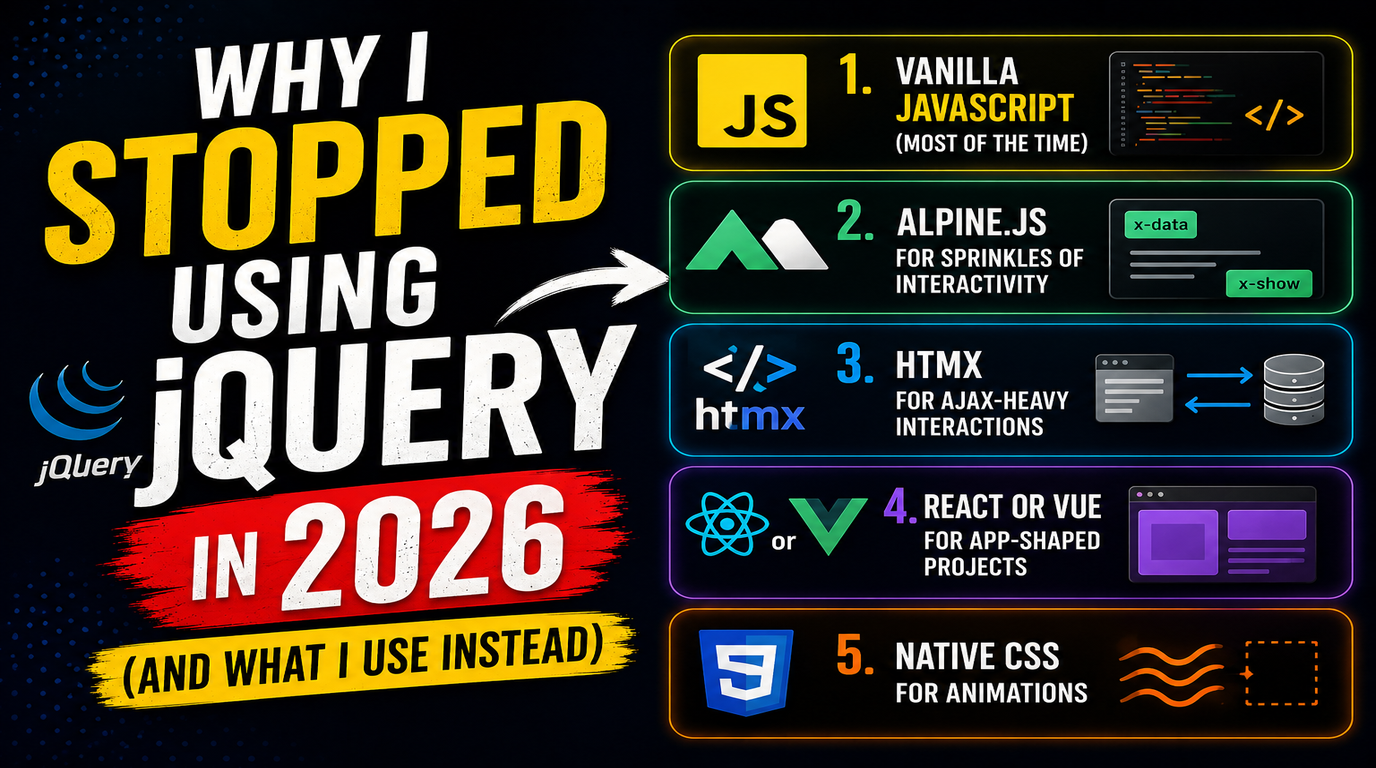
1. Vanilla JavaScript (most of the time)
For 90% of what jQuery used to do, modern vanilla JS is shorter, faster, and has zero dependencies. Compare:
// jQuery
$(".btn").on("click", function() {
    $(this).addClass("active").siblings().removeClass("active");
});

// Vanilla JS
document.querySelectorAll(".btn").forEach(btn => {
    btn.addEventListener("click", e => {
        document.querySelectorAll(".btn").forEach(b => b.classList.remove("active"));
        e.currentTarget.classList.add("active");
    });
});
Slightly longer, but no jQuery dependency. And once you stop thinking in jQuery patterns, the vanilla version becomes the natural way to write it.
2. Alpine.js for sprinkles of interactivity
For sites that need interactivity but do not justify a full framework, Alpine.js is what jQuery should have evolved into. It is 14KB, declarative, and works directly in HTML attributes:
<div x-data="{ open: false }">
    <button @click="open = !open">Toggle</button>
    <div x-show="open">Hidden content</div>
</div>
No event listeners to wire up. No imperative DOM manipulation. The state lives in the markup. For dropdowns, modals, tabs, accordions, and form validation, Alpine.js replaces 80% of jQuery use cases with cleaner code.
3. HTMX for AJAX-heavy interactions
If your jQuery code is mostly $.ajax() calls that update parts of the page, HTMX is a direct upgrade. It lets you do AJAX updates declaratively in HTML attributes:
<button hx-post="/api/save" hx-target="#status" hx-swap="innerHTML">
    Save
</button>
<div id="status"></div>
HTMX returns HTML from the server and swaps it into the DOM. No JSON parsing, no template rendering, no state management library. For server-rendered apps that need dynamic updates, HTMX makes jQuery + manual DOM patching look prehistoric.
4. React or Vue for app-shaped projects
For anything that has actual application complexity - state, multiple views, real-time updates - I reach for React (or Vue). Not because frameworks are always the answer, but because at a certain complexity threshold, declarative component-based code is dramatically easier to maintain than imperative jQuery soup.
5. Native CSS for animations
Every $.animate() call I have written in the last five years could have been a CSS transition. Modern CSS handles fade, slide, scale, and complex keyframe animations natively, with hardware acceleration:
/* CSS */
.fade { transition: opacity 0.3s ease; }
.fade.hidden { opacity: 0; }

/* JS */
element.classList.toggle("hidden");
Smaller, faster, easier to debug, and a designer can edit the CSS without touching the JavaScript.
The Decision Framework
I do not delete jQuery from existing projects on principle. The question is "what is the cheapest path to a fast, maintainable result?" Here is how I decide:
| Project Type | What I Use | Why |
| New marketing site or blog | Vanilla JS + Alpine.js | Lightest possible, no build step needed |
| Server-rendered app (Laravel, Rails) | HTMX + Alpine.js | Stay close to server-driven HTML, no SPA complexity |
| Real application with state | React or Vue + TypeScript | Complexity demands proper framework |
| Existing jQuery codebase, working fine | Leave it alone | Rewrites for the sake of modernity rarely pay off |
What About Legacy Projects?
If you have a working jQuery codebase shipping value, do not rewrite it because of a blog post. The cost of rewriting working code is almost always higher than the cost of keeping it. The argument for moving away from jQuery applies to new projects and features being significantly refactored.
That said, if your legacy project has Core Web Vitals problems, removing jQuery is often a meaningful win. Look at where it is loaded, what depends on it, and whether the dependency tree can be untangled gradually. We did exactly this for a client whose WordPress site was loading jQuery on every page for one tooltip plugin. Replacing the plugin and removing jQuery dropped page weight by 31KB and improved mobile LCP by 600ms.
What I Will Miss
To be fair, jQuery has things I genuinely liked:
$.fn.extend()made plugins easy to write and share- Method chaining was elegant for the era
- The
:contains()and other custom selectors saved time - Cross-browser compatibility was real, not just a marketing promise
I am not nostalgic for jQuery. I am grateful for what it did. It made cross-browser web development possible for an entire generation of developers, including me. But the world it solved problems for does not exist anymore.
The Bottom Line
jQuery in 2026 is like driving a car with a manual choke. It still works. It is a perfectly reasonable choice if it is what you know and you are not getting paid to optimise. But it is solving problems that the modern road does not have anymore, and you are paying weight, parse time, and team learning curve for a feature you do not need.
Start with vanilla JS. Add Alpine.js when you need interactivity. Reach for React or Vue when you have actual application complexity. That is the modern stack, and your users will thank you with faster page loads and your team will thank you with cleaner code.
If you have a legacy site bogged down by jQuery and unsure how to modernise it, our team can run an audit and recommend the cheapest path to a faster, more maintainable codebase. We do not rewrite for the sake of rewriting - we tell you honestly what is worth changing and what is not.